LeRobot Dataset: Record, Visualize, and Train
Updated: Sep 15
High-quality robot training depends on a well-structured LeRobot dataset that captures every frame and action sequence consistently. The LeRobot ecosystem provides a unified format for recording and sharing robotic data, keeping experiments repeatable and training pipelines easier to manage.
A LeRobot dataset is a standard and fast data structure that sorts robot inputs and actions into Parquet files and videos for machine learning tasks. This unified format stores camera frames, motor states, and sensory data in a clear folder system to ensure that large training pipelines stay easy to use. According to Phospho AI, the structure supports temporal windowing so models can view current and past frames together to better understand complex robot movement patterns. The framework helps teams move from recording skills to training models without losing time by providing a reliable way to check and validate data. This method allows teams to share skills and work together on robotics problems while maintaining high standards for data quality and model results.
Understanding the stages of your data is the first step toward building successful physical AI. You may wonder how these files are sorted to support such complex tasks. The path begins with a deep look at
What is a LeRobot dataset?
What is a LeRobot dataset?
A LeRobot dataset is a standard way to store and share data for robot learning. It is built to work with tools like PyTorch and Hugging Face. This makes it easy for teams to build and test new models. This format helps teams collect data from real robots or simulations. They use it to train AI that can move and act in the real world. By using an open-source design, the LeRobot project lets anyone access the codes and data needed to improve how robots learn skills.
An episode-based structure
The core of a LeRobot dataset is the episode. An episode is a single recording of a robot doing a task, such as picking up an object or opening a door. Each episode is broken down into small slices of time called frames. These frames hold the data the robot sees and does at that exact moment. To help robots know how things change over time, the format uses a feature called delta timestamps. This tool allows the model to look at the current frame plus a few frames from the past. In one case, a model might check the current picture and pictures from one second ago to see how fast a hand is moving. This sense of the past is vital for robots to handle complex moves. You can learn more by
during the testing phase.
Observations and actions
Inside each frame, the dataset tracks two main types of data: observations and actions. Observations are what the robot senses. This often includes camera pictures, but it can also include touch data, sounds, and joint states. High-quality data must capture the full range of human-like moves to be useful. For tasks that need fine hand-eye skill, the dataset must include
. This helps the robot adjust in real time when it performs complex tasks. Actions are the steps the robot takes based on what it senses. This could be a command to move an arm or close a gripper. By pairing what a robot sees with what it does, the dataset creates a map that the AI can learn. This training helps robots move from simple lab tests to real tasks in busy settings.
Uniform schemas and metadata
Uniform schemas are keys to success in modern robotics. A schema is a plan that tells the machine how the data is laid out. When every dataset follows the same plan, it is much easier to use data from different robots to train a single model. This is known as cross-embodiment learning. It allows a model trained on one robot to learn faster when it is put on a new type of hardware. The LeRobot format also uses metadata files to keep everything in order. These files, often in JSON or Parquet formats, track facts like the number of episodes and the length of each task. Keeping these files correct is the first step in
. This setup ensures that your training pipeline stays steady, even as you add more data or change your robot hardware.
How to record a LeRobot dataset
Recording a high-quality dataset is the first step toward training a reliable physical AI model. A LeRobot dataset must capture clear frame-based views and action steps to teach a robot how to move in the real world. You need to follow a set plan to ensure your data is clean, steady, and useful for robot learning.
Plan your task scope
Before you start the cameras, define the exact task the robot needs to learn. Small changes in the room can affect how a model works. You should map out the start and end states of the task, such as picking up a block and placing it in a bin. Standard formats are key for cross-embodiment learning and allow you to compare results across different robot types.
Set up hardware and cameras
Place your cameras to get a clear view of the work area and the robot claws. You may need many angles to capture depth and fine motion. Check that all sensors are on and sending data with no lag. Proper setup helps the model link sights and hand moves to the right actions. You can read more about LeRobot data collection via teleoperation to learn how to sync your hardware.
- Set up the robot
: Connect your leader and follower arms. Ensure the motors are ready and the work area is clear of extra things.
- Start the script
: Use the LeRobot tools to start a new dataset. Give your task a clear name and set the number of runs you want to save.
- Do the task
: Use remote control to guide the robot through the move. Keep your moves smooth and avoid quick shifts that could confuse the model.
- Reset the area
: Move every object back to its exact start spot after each run. This steady work is vital for training a stable plan.
- Save and check
: Once you finish the runs, save the data to your disk. Check the logs for any errors in the frame count or sensor data.
Keep the work steady and take notes
Steady work is the most vital part when you record many runs. If you change how you hold a tool or where a bin sits, the model may fail to learn the task. Take notes on the light and the tools you use during the work. After you finish, you can use tools for visualizing LeRobot datasets to check for errors in your saved frames.
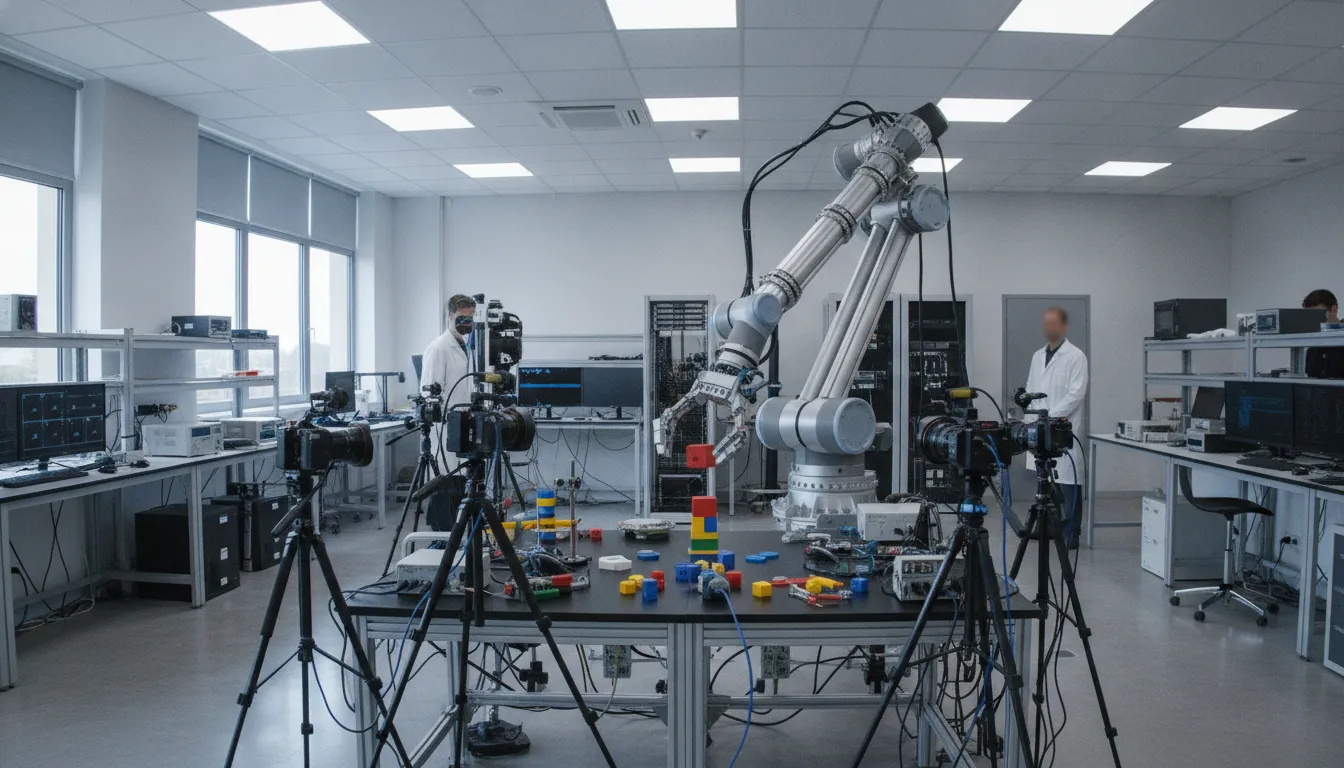
A consistent hardware and camera setup makes episode-level comparisons more useful.
Validate data before you scale collection
Recording a LeRobot dataset is the first step in a physical AI project. Many teams start with LeRobot data collection via teleoperation to gather expert demos. But you should not start large-scale work until you check your first samples. Checking your data early acts as a quality gate. It helps you find errors in your setup before you spend hours on a full collection run.
Small errors in your recordings can lead to poor results. If you find these issues late, you may have to throw away days of work. A quick check of each trial ensures that your robot learns from clean and useful data. This stage is where you confirm that your hardware and software are working well together.
Check sensor and camera aim
One of the most common issues in robot data is camera drift or bad aim. You must check that your cameras see the full path of the robot. If a camera moves even a tiny bit, the view may change enough to confuse the model. Checking this early saves you time on training later.
Good checks include looking for time alignment across all sensors. This means your video frames must match your motor actions and touch data exactly in time. If the data streams are out of sync, the model will not learn the right link between what it sees and how it moves. You should also check that all data fields, like arm angles, are full for every frame.
Refine labels and info
Each part of your LeRobot dataset needs clear notes to be useful. You should mark any failed trials or resets right away. If you include bad runs in your training set, the robot may learn the wrong tasks. Marking these errors helps you leave them out when you start to train your model.
Notes should also include facts about the setting and the task. You might track the light, the tools used, or where the robot starts. This extra info helps the model work in different scenes. Keeping your labels clean and steady is a key part of the check process. It makes it much easier to grow your collection once you know your setup is right.
Use views to find errors
The best way to spot hidden errors is to look at your data directly. You can use tools for visualizing LeRobot datasets to see exactly what the robot saw. This lets you play back trials and look for missing frames or shaky moves that might not show up in a text log.
When you look at your data, check for a steady link between the view and the action. The move of the robot should look smooth and right in the video feed. If the data looks jumpy or the moves do not match the task, you may need to fix your tools. Doing this check after every few trials keeps your data quality high as you collect more.
How do you use a LeRobot dataset visualizer?
The LeRobot dataset visualizer is a key tool for anyone building robot learning models. Before you start training, you must look at your data to ensure it is clean and right. This tool lets you play back episodes of robot movement like a video. By using the visualizer, you can spot errors that might confuse a machine learning model later on. It helps you bridge the gap between real-world data and embodied AI to ensure your research is repeatable.
Using the tool interface
When you open the visualizer, you will see several views at once. Most setups show camera feeds from the robot's point of view. They also show graphs of joint angles and motor force. You can scrub through the timeline to see how the robot moved during each task. This synced view is vital for visualizing LeRobot datasets and checking if the sensors worked as expected. You should look for smooth moves in the video and data streams.
The tool also allows you to compare different data types. For example, you can see if the robot's touch sensors felt a hit at the same time the video shows a hand touching an object. High-quality research often requires checking that sensors line up to validate the dataset. This check ensures that the robot's eyes and hands are in sync before you begin the training phase. It helps make sure the whole system is ready for use.
Check that all camera streams are clear and not blocked.
Verify that joint position data matches the physical movement in the video.
Look for gaps or drops in the data logs that could indicate hardware issues.
Use the frame-by-frame controls to inspect fast or complex motions.
Matching action and state data
One of the most important steps is checking the link between actions and states. In a LeRobot dataset, an "action" is what the robot was told to do. A "state" is where the robot actually was. If these do not match, the model will learn the wrong lessons. You should watch for drift or lag between the command and the response. Proper data structure allows for temporal windowing. This helps you see the current frame and old frames at the same time.
Using the visualizer helps you catch moments where the robot might have slipped or hit a limit. These events can create outliers in your data. In complex tasks like unscrewing a jar, the robot must use closed-loop feedback to succeed. If the visualizer shows the robot struggling with force or timing, that episode may not be good for training. You can find more details on this in research on multimodal robot manipulation and fine-grained data capture.
Finding and removing bad data
Not every recording is a "win" for your model. You should use the visualizer to find bad episodes where the robot failed to reach the goal. Including too many failures can lower how well your final model works. The visualizer makes it easy to flag these files for removal or editing LeRobot datasets before training. This process ensures that your training set only contains high-quality examples of the tasks you want the robot to master.
You should also look for outliers that do not represent normal robot behavior. This might include random spikes in sensor data or sudden jumps in the video feed. By cleaning your data now, you save time during the training and test phases. Keeping your dataset clean leads to top results in both sim and real-world robot tasks. Using a clean and well-vetted set of data is the best way to get reliable results from your robot learning project.
Flag and remove episodes where the robot did not reach its target.
Exclude data with high noise or sensor errors.
Ensure all task labels match what is happening in the video feed.
Delete duplicate recordings to prevent the model from over-fitting.
Clean and edit the dataset without losing context
A good LeRobot dataset is the base for any robot training. Raw data often has small errors that can confuse a model. Cleaning your data helps the robot learn the right moves. You should aim for a set of runs that show smooth and clear work. This process turns rough clips into a strong tool for your robot to use.
How to find bad data
The first step in cleaning is to look at what you have. You can use tools for viewing and visualizing LeRobot datasets to check your work. Look for lag in the video or jumps in how the arm moves. These breaks often happen if the link drops or if the arm hits a stop. Finding these early saves time in the long run.
You should also check for "dead" time at the start or end of a clip. Unnecessary waiting can teach the wrong behavior. Cutting those frames keeps the data focused on the task.
Keep, edit, or remove?
Not every bad clip needs to be thrown out. Sometimes a small fix can save a long run. You must choose if a clip adds value or just noise to your model. Using the right signs helps you make these choices fast. This keeps your work on track as you build a big library of data.
When you find an error, look at when it starts. If the task was a success but has extra frames at the end, a quick trim is best. If the robot failed to pick up the tool, it is better to cut the whole run. This ensures your editing LeRobot datasets work stays fast and focused.
Decision | Signal | Action |
Keep. | Smooth moves and clear goal. | Use for training. |
Edit. | Small error at start or end. | Trim frames in set. |
Remove. | Big lag or failed task. | Delete full clip. |
Keep the context alive
While cleaning, you must not lose the core of the data. Every frame in a LeRobot dataset links to motor states and sensor reads. If you cut frames in the middle of a run, you might break the flow of the data. This can make it hard for the model to guess the next move. It needs a steady stream of facts to learn well.
Prepare the LeRobot dataset for training
Cleaning and freezing the dataset schema
You must clean your data before you start training. A steady LeRobot dataset needs a fixed plan to stop errors later. This means you should define your camera views and robot actions clearly. If you change the names of your feeds or joint states mid-stream, your model will fail to learn. You can find more facts on editing LeRobot datasets in our tech guides.
You should also remove any bad demos. Jerky moves or failed tasks can confuse the neural network. Removing bad data ensures the model learns the right skills. Once you finish the structure, freeze it. This helps you keep a steady baseline for all future tests. A clean set of data is the best starting point for any robotic task.
Splitting data for training and testing
Splitting your data is a vital step. You should divide your clips into separate sets for training and testing. It is key to ensure that these sets do not share the same clips. Data leakage happens when a model sees testing data during the training phase. This makes your results look better than they really are. If your model "cheats" during testing, it will fail when it meets new tasks.
By keeping these splits clean, you can trust your model's results in real-world settings. Research in Vision-Language-Action (VLA) models shows that backbone choice and smart data use are key to wins. You should aim for a split that covers all the tasks your robot needs to learn. This balance helps the model work in new spaces.
Source tracking and saving versions
Tracking where your data came from is called source tracking. You should record the light, the robot's start position, and the objects used in each task. This helps you confirm that your dataset has typical settings. If your data only shows one type of light, your robot may fail in a darker room. You should also check for variety in your data. Using different backdrops and object colors makes the model more robust. High-quality multi-mode data helps bridge the gap between lab tests and steady robotics research in complex spaces.
Always keep a saved baseline of your data. This allows you to go back to an older version if a new batch of data causes problems. Label each version clearly with the date and the type of tasks it has. You might use a simple naming system to track these changes. For example, use "v1" for your first data and "v2" for data with new objects.
This way, you can compare how different data affects your results. Once your data is ready, you can follow our guide on training models on LeRobot datasets to begin the next phase. Using checked docs ensures you follow the best path for your exact hardware.
Build a repeatable robot learning data pipeline
Making a strong data flow is the first step toward teaching robots new skills. When you build a , the hardware you choose changes how well your model learns. A good path moves from tests in a lab to real-world use without losing data quality. By using open and modular tools, you can scale your work as your needs grow. This makes it easier to gather the data needed for deep learning.
Fix your hardware setup
Sameness is key when you gather data for robot learning. Using the same arms and cameras across all tests helps keep your data clean. For example, Trossen AI robotic arms provide a firm base for many types of tasks. Follow the Trossen AI configuration guide to keep collection settings documented and repeatable. When your setup stays the same, the you create will be more steady. This sameness allows you to compare different tests with ease.
You should also focus on how you move the robot during data capture. Steady LeRobot data collection via teleoperation makes sure that every motion is smooth and exact. If the hardware changes too much, the model may get confused by the new input. High-quality cameras and sensors must be placed in the same spots to capture the same views every time.
Capture many types of data
Robots need more than just sight to perform complex tasks. often include visual data, but adding touch and force data is also helpful. Mixing many types of data is vital for robots to do fine tasks that need closed-loop feedback. This helps the robot adjust its grip or path in real time as things change.
A multimodal dataset can hold many types of facts. This might include touch data, sound, and how the whole body moves. When you have all this data in one place, you can train smarter models. These models can better handle the tough parts of the real world. This is why research-grade hardware is so important for building a solid data flow.
Manage the dataset stages
A good data path does not end after you pick up the data. You must also sort, check, and edit your files to make sure they are ready for training. A LeRobot dataset is set up on disk to help load data fast for robot learning. It uses frame-based views and action steps to show the robot what to do. You can even set time windows to see what happened in the past.
Checking your data early saves time later. You should look for gaps in the data or times when the sensors do not align. Tools in the LeRobot system let you view and edit your data before you start training models on LeRobot datasets. This keeps your pipeline moving fast and reduces errors. By following these steps, you build a firm base for all your AI robotics work.
Frequently Asked Questions
How do you download a LeRobot dataset?
You can get these datasets through the Hugging Face hub. The LeRobot toolkit has tools to pull files from the web to your local computer. This path lets you use data from other research groups for your own tests. You just need to run a simple command in your terminal to start the task. Most files are open source and free to use for robot learning work.
What is the difference between LeRobot dataset v2 and v3?
These versions change how the files are stored on your disk. Version 2.1 uses a clear setup that supports fast loading for robot learning. Newer versions like v3 aim to make it even easier to handle large files and different types of sensor data. Using the right version helps keep your training work steady. You should check the main docs to see which format fits your current needs.
Can I use LeRobot datasets with PyTorch?
Yes, these datasets work well with the PyTorch framework. The data setup is built to support fast loading into machine learning models. You can easily feed image frames and action paths into your neural networks. This makes it a great choice for teams that already use common Python tools for AI. As shown by Phospho, using these standard formats allows for faster cycles when training robotic tasks.
Can I add custom sensor data to a LeRobot dataset?
Yes, the format is flexible and supports many types of sensors. You can include data from tactile pads, audio feeds, and even eye-tracking tools. This allows you to build a richer picture of how the robot interacts with its world. By adding these inputs, you help the model handle complex tasks that need more than just a camera view. Most users add these fields during the recording phase of the lifecycle.
Ready to get a quote for a compatible robot learning platform?
Starting your data collection today means you can train your AI models much sooner. If you wait to set up your workflow, you risk losing time to trial and error. Poor data grade can slow down your results and cost your team more in the long run. Every day you delay is a day lost to your rivals in the field of physical AI. You can hit your goals faster when you have a solid hardware and software plan in place. Using the right tools now will help you when you begin training models on LeRobot datasets later on. Move forward today to keep your project on track and avoid any costly delays to your research.
Ready to get a quote for a compatible robot learning platform? Contact us today to get a quote for a compatible robot learning platform.
Comments