Mobile ALOHA vs Stationary ALOHA: Research Setup Guide
Updated: Sep 15
The choice between mobile ALOHA vs stationary ALOHA determines if your robots stay at a desk or move through a kitchen. Researchers must weigh mobility against the simple repeatability of a fixed workstation.
Get a quote for an ALOHA research platform and let the Trossen Robotics team help match the setup to your workflow.
Mobile ALOHA vs stationary ALOHA comparison centers on the trade-off between task range and system difficulty. Stationary ALOHA provides a stable, fixed base designed for high-precision hand tasks like sorting or small assembly on a table. It is simple to set up and offers a steady space for early model training. In contrast, Mobile ALOHA adds a base that moves and whole-body control to the standard setup. This allows the robot to perform complex tasks that require moving across a room, such as opening doors or walking through a house. According to research from the Mobile ALOHA paper, the mobile version uses body control to expand what robots can learn beyond fixed desks. Choosing between them depends on whether your work focuses on fine motor skills or tasks in changing spaces.
Deciding which setup fits your lab needs a clear look at space, integration needs, and your end goals for data collection. Both systems provide distinct paths for teams building physical AI. The following comparison shows how each kit handles common research needs.
Mobile ALOHA vs stationary ALOHA at a glance
Choosing between mobile ALOHA vs stationary ALOHA depends on your research goals and workspace needs. Both systems use high-precision arms and open-source tools to help you collect data for robot learning. While they share a common design, the choice of a fixed or mobile base changes what the robot can do in a real-world setting.
Defining the core research focus
The main change between these two systems is their reach and range of motion. A stationary ALOHA AI kit is built for table-top tasks where the robot stays in one place to move small objects. This setup is the standard for lab-based research because it offers high precision and a simple design that is easy to maintain. It is ideal for testing how two arms can work together on a fixed bench.
In contrast, Mobile ALOHA adds a mobile base to the first design to enable whole-body teleoperation for more complex work. This setup lets the robot move through a room while it uses its arms, which is a key step for training versatile robots. It allows researchers to move past the lab bench and into real-world areas like kitchens or offices. This change opens up new ways to collect data for tasks that need both movement and skill.
Comparing system hardware and use cases
Each platform has unique traits that suit different types of data capture. Mobile ALOHA excels at tasks that require moving across a floor, such as opening a door or calling an elevator. It can even handle jobs like cooking or rinsing a pan in a real kitchen. These tasks need the robot to move its base and arms at the same time to stay in the right spot.
Stationary setups are better for fine work that requires high precision in a fixed area. These kits help you focus on the exact movement of the hands and fingers. The Mobile ALOHA research paper reports that co-training with static ALOHA data improved success rates on its evaluated mobile manipulation tasks. Using both systems together can help models reuse relevant manipulation data while teams expand into mobile workflows.
Feature. | Stationary ALOHA. | Mobile ALOHA. |
Workspace. | Fixed table-top area. | Full-room mobility. |
Mobility. | None (fixed base). | Wheeled mobile base. |
Manipulation. | Two-arm table tasks. | Whole-body movement. |
Cameras. | Fixed top and wrist. | Mobile base and wrist cams. |
Computing. | Desktop or rack mount. | On-board laptop or PC. |
Best use case. | Fine arm task research. | General service tasks. |
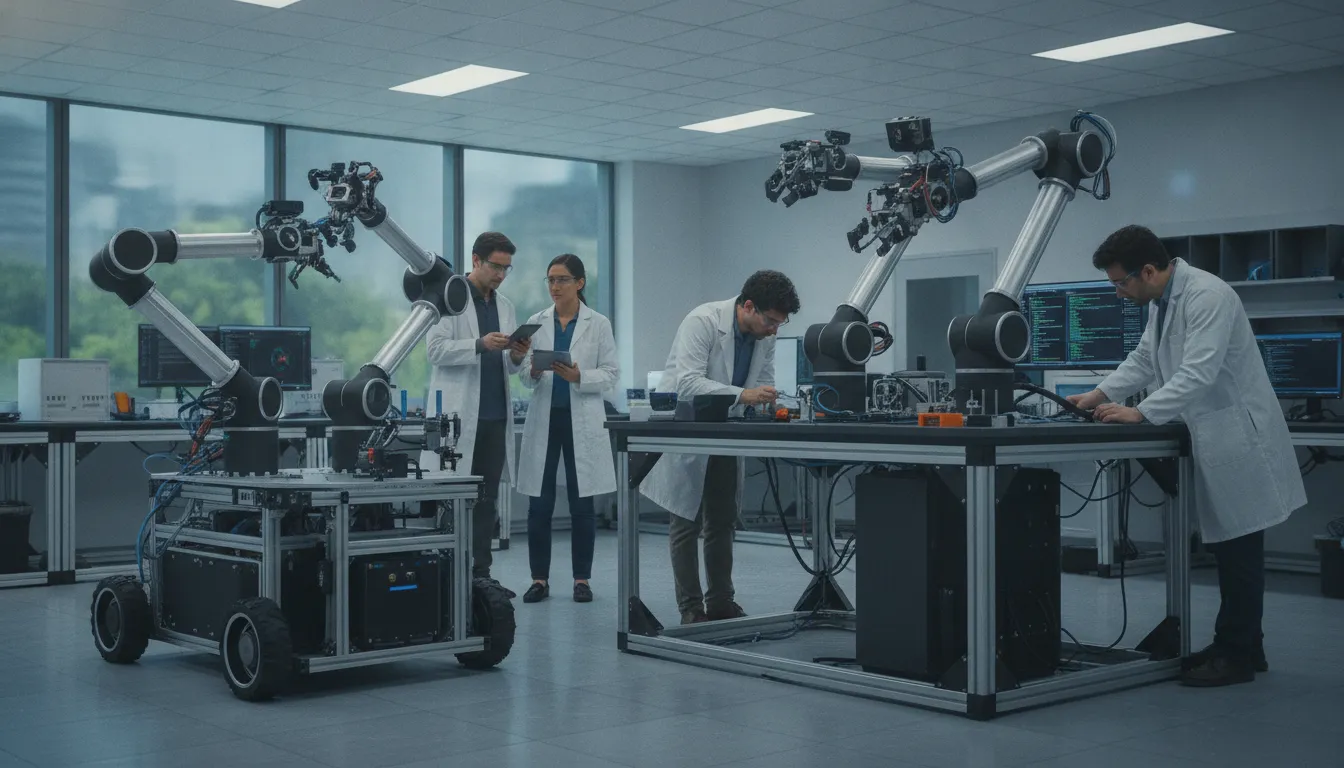
Mobile and stationary ALOHA platforms support different data collection environments and research goals.
Both systems help you move faster from first tests to scaled use of physical AI. By using ALOHA research setups from Trossen Robotics, you get a ready-to-use tool that works out of the box. This model lets your team focus on writing code and training models instead of building hardware from scratch.
When does Stationary ALOHA fit the workflow?
Stationary ALOHA fits teams that prioritize a controlled, repeatable workspace for bimanual manipulation and lab-based data collection.
Stationary ALOHA is a fixed-base robot system made for table-top work. It provides a stable place for robots to learn. Most research results today come from these fixed setups. They are the standard for lab-based manipulation research. While mobile robots can move between rooms, many tasks stay in one spot. For these jobs, a fixed setup is often the best choice. Looking at mobile ALOHA vs stationary ALOHA shows that fixed bases have a key place in the lab. It lets you focus on arm movement without the cost of a mobile base.
Consistent results in the lab
A stationary ALOHA AI kit is built for high-precision research. It uses parts like QDD servo tech to hit the same spot every time. This setup can reach sub-millimeter precision. This level of detail is vital for fine tasks like picking up small parts. It is harder to reach this goal when the base of the robot is moving. If your work stays on one table, a fixed setup gives you the best control. You can set up your workspace and know it will not change. This helps you find and fix small errors in your code faster.
Trossen Robotics has over 21 years in this field. They have served more than 10,000 customers. This means they know what makes a lab setup work. Their model means your kit works right out of the box. This saves you weeks of setup time. You can start your first test as soon as the robot is on your desk. This speed is a big win for small teams and new startups.
Faster data collection and training
Collecting data is a key part of AI research. You use teleoperation to show the robot how to act. In a fixed setup, the workspace is always the same. This ease helps you get more work done in less time. Fixed systems are also easier to keep running. They have fewer parts that can break or wear out. This means more time for research and less time for repairs. You do not have to worry about the robot hitting a wall or a door while you work.
You can also use data from these fixed setups to help mobile robots. Research shows that co-training with static data can boost mobile task success by 90%. This means the data you get on a table is still useful for robots that move. You can build a large set of data on a fixed kit first. Then, you can use that data to help your mobile platforms learn new tasks. This makes your whole workflow much better.
Work in tight or small spaces
Not every lab has a lot of open floor space. Mobile robots are big and need room to move. They can have a hard time in narrow halls or tight offices. A stationary setup is smaller. It fits on a standard desk or workbench. This makes it the best choice for labs with small space. It lets you do world-class research without a huge lab. You can set up many fixed stations in the same space as one mobile robot. This allows more people to work on the same project at once.
When does a Mobile ALOHA robot fit the workflow?
Choosing between depends on your work goals and the room where you work. While a fixed base works well for small tasks, some jobs need more range. You must decide if your robot needs to move through a room or stay in one spot. Both systems help teams get high-grade data to train new AI models.
Moving in changing spaces
A mobile ALOHA research platform is best when your robot must move through a room or hall. It adds a mobile base to the common arm setup to help it reach more spots. This setup lets the robot go to a target before it starts a task. Such movement is key for work in offices or kitchens where items are far apart.
Adding a base brings new things like floor type and path plans. You will need to manage how the robot moves while it handles goods. Trossen Robotics provides systems that are ready to use right away. These whole setups help you skip the hard setup phase and start your work faster.
Whole body control for hard tasks
Mobile robot work often needs the robot to use its base and arms at once. The Mobile ALOHA system uses a special tool for whole-body teleoperation to link these moves. This lets the robot back up while it opens a door or reach into a shelf. These tasks cannot be done with a fixed base that cannot move with the arms.
Tests show this system can handle hard chores like cooking food or calling a lift. These tasks need the robot to change its body pose as it works. Using two arms gives the robot the range it needs for house work and other daily jobs. This makes it a great fit for teams testing robots in real-world spots.
Moving past the lab bench
A stationary ALOHA AI kit is the norm for fine work on a table top. They are easy to fix and offer high detail in a small space. But if you want to test tasks like cleaning or cooking, you need a mobile tool. Mobile robots can get data in wide spots that a lab bench cannot match.
You can also use data from fixed labs to help train your mobile robot. The Mobile ALOHA paper reports improved success on its evaluated mobile tasks when training included static ALOHA data. This means you may not have to start from zero when you move to a mobile workflow. Trossen Robotics supports this growth by offering systems that work well at each step of your work.
How do the platforms change data collection?
Stationary ALOHA emphasizes consistent capture in a controlled workspace, while Mobile ALOHA expands data collection to tasks that require navigation and whole-body coordination.
Research labs often rely on a fixed space to test new ideas. A stationary ALOHA AI kit provides a stable spot for these tests. It is built for tasks that stay on a table. This setup helps you get steady results in a room you can control. But real life does not happen on a flat bench. To build robots for the home or office, you need other ways to gather data. This is why mobile platforms offer new paths for researchers.
Workspace consistency and field data
Stationary robots work best when the world does not change. They give you high precision for small, fast tasks. But they cannot follow a person into a kitchen. A mobile ALOHA research platform lets you take the lab into the field. You can collect data in narrow halls or busy rooms. This helps robots learn to handle real world messes and odd layouts. Moving the robot to the task, rather than the task to the robot, makes your data more useful.
When you use the same hardware in the lab and the field, your data stays clean. Trossen Robotics uses the same arms and motors in both systems. This means a model trained on a table can still work on a mobile base. This steady feel across other spaces is a huge plus. It saves time because you do not have to start from zero for every new task. You can mix data from many spots to build a smarter robot.
Mobility and whole body control
Mobile manipulation is more than just a robot on wheels. It requires whole body control to be useful. This means the robot must move its base and arms in one smooth motion. For example, a robot might need to pull a heavy pot out of a low cabinet. To do this, it must back up while its arms maintain a firm grip. Capturing this kind of motion data is hard with a fixed base. Mobile ALOHA allows for this kind of whole body teleoperation.
Using data from Mobile ALOHA helps robots learn complex jobs. These include tasks like cooking food or calling an elevator. These jobs require the robot to move through a space and use its hands at the same time. Research shows that co-training with old static data can help a lot. It can boost the success rate for mobile tasks by as much as 90%. This lets you build on what you already know to reach new goals.
Bimanual tasks and camera systems
Many real world tasks require two hands working together. This is called bimanual manipulation. It is key for things like opening a two door cabinet or lifting a large box. Both mobile and stationary ALOHA systems use two arms to mimic human movement. This dual arm setup is vital for gathering high quality data. It allows the robot to hold an object with one hand while the other hand works on it. This mimics how people work with the world daily.
Cameras and compute also play a big role in data capture. Mobile systems often carry their own computers and power. This removes the need for long wires that can get tangled. Built in camera systems track every move in high detail. These cameras catch small changes in the room as the robot moves. High precision servos ensure that the data you collect is exact. This level of detail is needed to train models for fine tasks.
Compare Trossen Robotics ALOHA kits before you finalize your data collection workflow.
How to choose the right ALOHA research setup
Define your task space
The first step in choosing between a mobile ALOHA vs stationary ALOHA kit is looking at your work space. Your task space is where the robot needs to go to finish its job. A fixed kit is the standard for lab work where tasks stay on one table. These kits are easy to use and keep up. But if your robot needs to move across a room, you need more than just arms.
Research shows that a mobile base lets robots do much more. A mobile ALOHA research platform can reach across a kitchen or an office. This is key for tasks like cooking or cleaning that a fixed robot cannot reach. You should pick your kit based on if your work stays in one spot or moves.
Assess your lab control needs
Next, think about how much control you need in your lab. Fixed kits offer high precision in one spot. They are great for testing fine hand skills over and over. They also take up less room and have fewer moving parts. This makes them a good fit for teams with small labs or low budgets.
Mobile kits add more options but also more steps. They use whole-body control to move the base and arms at the same time. This is needed for tasks like opening a heavy door while backing up. If your research is about how robots move in the world, the mobile kit is the right choice. But if you only care about hand skills, the fixed kit is better.
Plan for data and growth
Last, look at your data and how you plan to grow. Most teams start with simple table data. The good news is that you can use this old data to help your new mobile robot learn. Co-training with fixed data boosts mobile success rates by up to 90%. This makes it easy to grow your work as your team hits new goals.
Trossen Robotics helps you move from early tests to full use. Their kits come ready to use right out of the box. This saves you time so you can focus on your code and data.
Choosing the right kit is a big move for your team. Follow these steps to make the best choice for your next project. We help you find the tools you need to reach your next milestone.
Check your space. A mobile base needs room to turn and move. If your lab is small or has narrow halls, a fixed kit may be safer and work better.
Map your tasks. If your robot needs to call an elevator or move between rooms, a mobile kit is a must.
Think about your data. If you have a large set of table data, a mobile robot can use it to learn faster and do better work.
Look at tech help. Choose a partner like Trossen that helps you move from small tests to full use in the field.
Pick your platform. Choose the fixed kit for lab skills or the mobile kit for tasks that move through the real world.
What should teams plan before deployment?
Before deployment, plan the task environment, camera positions, computing, safety boundaries, charging, storage, and the data pipeline your team will use.
Planning a robot rollout takes care. Teams must look at their space and goals before they start. Choosing between setups is a big first step. Each system has its own needs for power and space. A good plan helps you move from small tests to full use with fewer stops. You should think about your lab space, how you will train the robot, and how you will keep it running. Preparing your space and data pipeline now will save time later.
Looking at lab space and workspace needs
A fixed ALOHA kit is a stable robot system. It is best for tasks on a table or bench. This system is the standard for lab research because it stays in one spot. It works well for tasks that need high accuracy in a small area. Since it does not move, it takes up less room and is easy to power from a wall plug. You can learn more about these ALOHA research setups to see which fits your bench best. Teams should check their table height and mount points to ensure a firm base for the arms.
The mobile model adds a base for moving around. This lets the robot do tasks like calling lifts or opening doors. It is great for tasks that happen across a whole room. But the size of the mobile base can be a challenge. It may have trouble in narrow halls or small labs. Teams should map their paths and measure doorways before they set up. You must make sure the robot can reach all the spots it needs to work without getting stuck. Think about where you will place cameras to cover the whole area. Good camera placement is key for the robot to see its world clearly.
Setting up data pipelines and training
Data is the fuel for these robots. Both systems use remote control to get training data. A person moves the robot to show it how to do a task. This helps the robot learn from human moves. One big win for the mobile model is co-training. Using data from old fixed robots can boost success rates by up to 90%. This means you do not have to start from scratch every time you want to teach a new move. You can use the mobile ALOHA research platform to gather data in many different settings.
Based on research on mobile manipulation, co-training makes it easier to train for whole-body tasks. These tasks use both the base and the arms at the same time. Teams should plan how they will store and track this data. You will need a lot of compute power to process all the video data. Having a clear plan for your data pipeline will help you train your robots more often. It also helps you find and fix errors in how the robot learns. Make sure your network can handle the large files you will create.
Safety and steady robot work
Teams must also think about how to keep the robots working day after day. Fixed setups are often easier to fix and keep up. They have fewer moving parts and do not need to worry about battery life. This makes them a good choice for labs that need to run the same test many times. They are built for high accuracy and long use in a lab setting. You should keep a log of all repairs and checks to ensure the robot stays in top shape.
Both systems use high-quality parts that stay dependable as you grow. Trossen Robotics has over 21 years of time in the field and serves more than 10,000 customers. Their support helps teams move from first tests to full use. When you plan for safety, think about where people will be when the robot moves. Clear paths and safety rules keep your team and your robots safe. A good plan for upkeep will make your robots last longer and work better. Notes on your setup will also help new team members get up to speed fast.
Frequently Asked Questions
What tasks can Mobile ALOHA perform that stationary systems cannot?
Mobile ALOHA can do hard tasks that need movement across a room. It can cook food, call elevators, and open large doors. A fixed robot stays in one spot. This mobile system moves its base and arms at the same time to work in new places. Research from arXiv shows it can even rinse a pan in a sink. These tasks are not possible for robots that cannot move around on their own.
Is Mobile ALOHA a cost-effective solution for research?
Yes, Mobile ALOHA is a low-cost system for getting data on full-body motion. It helps teams get high-quality tests without spending too much money. Trossen Robotics sells ready-to-use systems that help users move from small tests to full use. By using open tools and simple parts, it makes hard AI research easier for all. This makes it a great choice for labs and firms that need to see results fast on a tight budget.
What are the limitations of Mobile ALOHA compared to stationary setups?
Mobile ALOHA is larger than a fixed robot arm. Its size can make it hard to move through narrow halls or tight rooms. Fixed setups are often easier to keep and fix in a lab because they do not have a moving base. According to Trossen Robotics, these fixed robots are the standard for fine tests in a set spot. Teams must choose between the ability to move and the need for simple work that is easy to repeat.
How does co-training with static data help Mobile ALOHA?
Co-training uses old data from fixed ALOHA robots to help new mobile robots learn faster. In the published Mobile ALOHA experiments, this method improved success on evaluated mobile tasks. By mixing relevant old and new data, researchers may reduce the amount of new data needed for each task. A study on arXiv found that this data sharing makes the training work much better. It allows the robot to use what it knows about hands to learn about movement.
Ready to choose your ALOHA research platform?
Every week you spend comparing tools is a week you are not gathering data for your research. This delay puts your goals at risk and lets other teams lead the way in physical AI. You need a setup that works on day one so you can hit your milestones on time. By choosing your ALOHA research setups now, you avoid long lead times and keep your work on track. Waiting only makes it harder to show progress to your team or to your investors. Trossen Robotics provides the systems you need to move fast and stay ahead of the curve. Our team helps you pick the right kit so you can focus on writing your code.
Ready to start? Request a quote to get started today.
Comments