Robot Arm Simulation: MuJoCo, Isaac Sim, and Gazebo
Updated: Sep 15
A single hardware crash during an AI training run can cost thousands of dollars. Most research teams cannot afford the downtime or the expense.
Ready to find the ideal research platform to accelerate your physical AI development? Contact our robotics experts today to schedule a custom technical consultation.
Robot arm simulation is a virtual testing ground that helps teams find and fix errors before turning on a physical robot. These tools allow labs to run thousands of tests at the same time to collect data for machine learning and physical AI models. MuJoCo is a physics engine designed to support research in robotics, biomechanics, and artificial intelligence. It is a top choice for contact-rich tasks, while NVIDIA Isaac Sim offers clear visuals for vision systems. Gazebo provides a free, open source platform, making the development process safer, faster, and cheaper for all research teams.
Choosing the right tool starts with a clear view of how these systems work in a lab setting. Every researcher must find a balance between speed and precision. The path to a better research workflow begins with What Is Robot Arm Simulation and Why Does It Matter?
What Is Robot Arm Simulation and Why Does It Matter?
Robot arm simulation uses software to model how an arm moves in a virtual world. This tool lets teams test code and plan paths without a real robot. In the world of physical AI, simulation acts as a bridge between a digital plan and a real machine. It gives a space where users can work on hard tasks like handling objects or getting data. By using virtual worlds, teams can move much faster from a first trial to a full task.
Faster data getting for physical AI
One of the main roles of simulation is to speed up the data getting loop. In physical AI work, models often need millions of data points to learn how to act. Getting this data on a real robot is slow. Simulation lets you run many virtual robots at once on one computer or in the cloud. Tools like MuJoCo are prized for their accurate and fast contact solver . This helps teams get training data for handling tasks in very little time.
This digital workflow is a big part of the sim-to-real process. Teams use virtual models to train a smart tool and then move that skill to the real hardware. Trossen Robotics platforms are built to fit right into this loop. They work with open source simulation packages that make it easy to start your work in a virtual world. This means you can get your AI models ready for the real world before the hardware even gets to your lab.
Lower risk for research hardware
Simulation is also a key tool for safety and hardware health. Testing new code on a real robot arm can lead to crashes that break parts. A virtual world gives you a safe space to fail. You can push the limits of the arm and try risky moves without any fear of harm to the tools. This is helpful for school labs and startups that need to save their funds and keep their tools working for a long time.
Beyond safety, simulation helps reduce the wear on your real systems. Every hour a robot spends moving in the real world adds stress to its joints. By doing most of your testing and fix work in a simulator, you save the life of your real machine for the tasks that need it. You can even use Trossen arm simulation in MuJoCo to check your code for errors. Do this before you ever send a command to the actual arm. This way ensures your hardware stays in top shape for the final work phase.
Life-like testing in virtual worlds
Modern tools provide a life-like virtual world for robotics testing. This helps models learn to see using new vision data that looks just like the real thing. Using a tool like Gazebo also allows for the fast simulation of robots in indoor spots. This lets you map out a full plan for your platform before setting up the lab space. By cutting down on manual setup time, you can reach your goals much faster and with fewer errors.
MuJoCo: The Gold Standard for Contact-Rich Physics and Manipulation
MuJoCo stands for Multi-Joint dynamics with Contact. It is a top-tier physics engine built for research in robotics and AI. Most engines struggle when parts touch, but MuJoCo excels there. It helps teams model how robots touch, grab, and move things. Google DeepMind now keeps the project alive under the Apache 2.0 license. This open-source move has made it the go-to tool for experts who build smart machines.
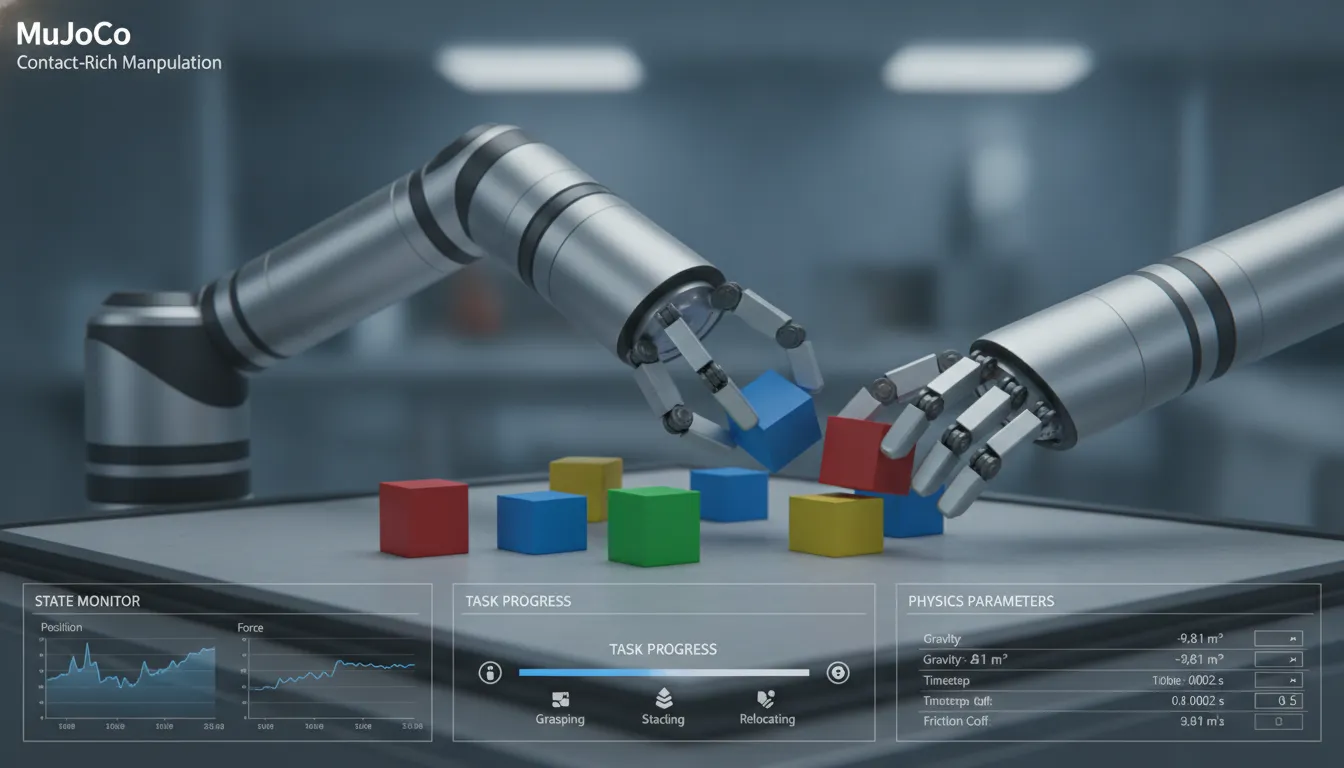
Fig 1. Contact-rich manipulation and grasping simulation using a MuJoCo robotic arm.
Fast and precise contact math
The engine is famous for its fast solver. It uses unique math to handle joints and touch points at the same time. This makes it a great choice for robotics and AI research that needs to be both fast and right. Many old tools trim touch data to save time, but MuJoCo keeps the data rich. It handles friction and hard surfaces with great care. This detail is key when you want to train a robot to tie a knot or pick up a small bolt.
When configuring a mujoco robotic arm for research, the solver works by finding the best way to follow physics laws while touching parts. It does not get stuck in long loops that slow down other sims. Because it is so fast, you can run thousands of trials in a single day. This helps your team find bugs in your code before you ever turn on a real robot. The engine makes it easy to add sensors and motors that behave like real hardware.
Massive scaling with MJX
A new update called MuJoCo JAX, or MJX, has taken speed to a new level. It lets the engine run physics code directly on a GPU or TPU. This means you can run many robot arm simulation tasks at once. Some labs report a 10,000x jump in speed compared to older CPU methods. This massive gain is a huge help for reinforcement learning. You can now train a model to master a task in minutes rather than weeks.
The MJX port keeps the same high quality as the main engine. It allows for huge batch sizes of data for training AI. You can watch thousands of robots learn in a digital world at the same time. This scale helps AI models learn faster from their mistakes. The speed of MJX makes it the best choice for training complex neural networks that control physical tasks. It gives experts the power to test designs at a pace that was once not possible.
Bridging the sim-to-real gap
One big hurdle in robotics is the gap between a sim and the real world. A robot might work in a digital space but fail on a desk. Trossen Robotics helps solve this by making hardware that matches the sim. Their platforms are a standard for research like ALOHA. You can easily start a Trossen arm simulation in MuJoCo to test your ideas. This saves time and money by cutting down on hardware wear and tear.
Trossen SDKs and drivers are built to link with these sim tools. They offer 500 Hz joint state updates to keep the data fresh. This makes the move from a test to a live task smooth and stable. By using the same code for both, you reduce the risk of errors. Trossen systems give you the high-rate control needed to match what you see in MuJoCo. This tight link helps you ship your project faster and with more trust.
NVIDIA Isaac Sim: Photorealism, Perception, and Reinforcement Learning at Scale
NVIDIA Isaac Sim gives a clear, true virtual world for robotics testing and training. Built on the NVIDIA Omniverse platform, it allows users to build and test robots in a scalable space. Tools like this and MuJoCo help teams with research and work in AI. NVIDIA Isaac Sim is a photorealistic simulator that supports complex tasks and diverse areas. This tool helps teams bridge the gap between virtual training and real-world use.
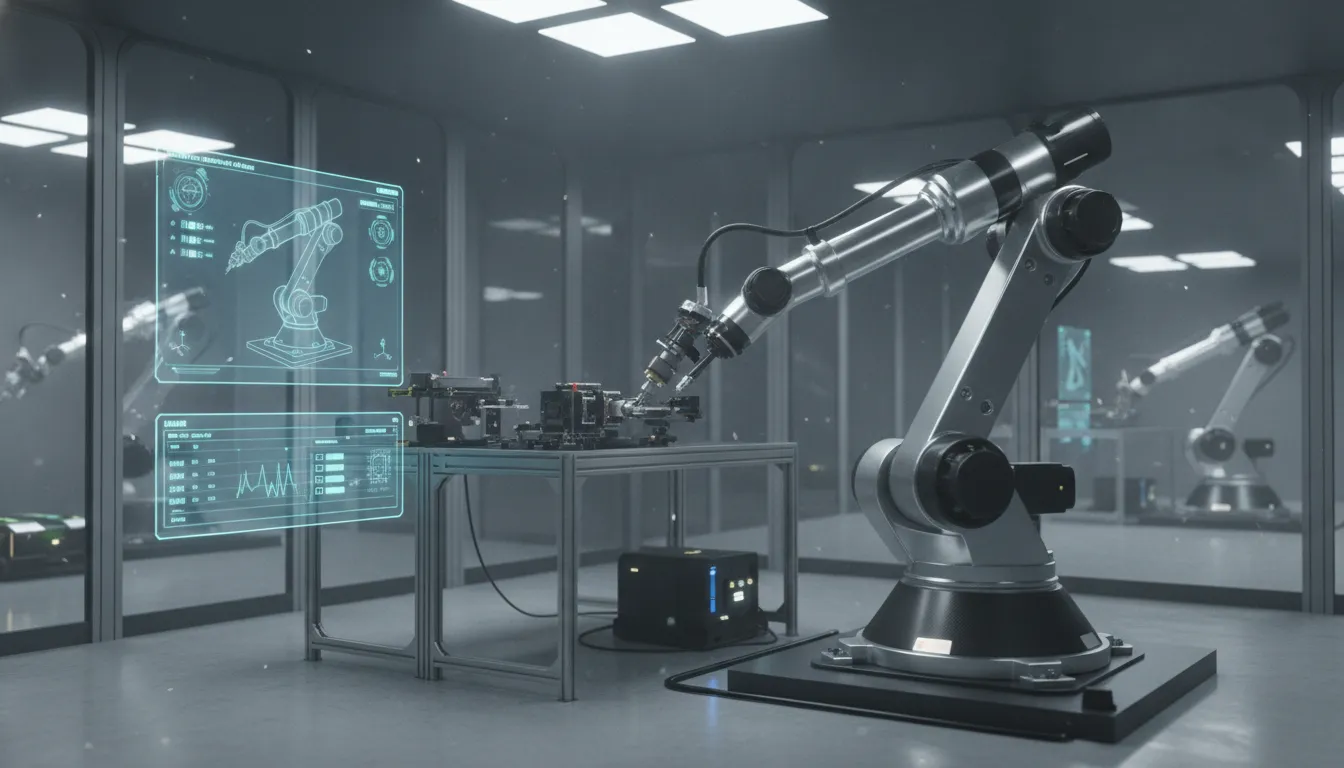
Fig 2. Ray-traced high-fidelity rendering of an Isaac Sim robot arm in a virtual factory environment.
Photorealistic vision and sensor simulation
The platform uses RTX ray-tracing to create lifelike images for robotic vision. This high level of detail is vital for training robots that rely on cameras to see and know the world. By using real-time light and shadow, the tool mimics the visual tests a robot faces in the field. Users can simulate a wide range of conditions:
Changing light and harsh shadows for indoor or outdoor scenes.
Clear or blurry camera feeds to test vision software.
Custom data for depth cameras to map the nearby space.
Fast LiDAR scans to find objects in real-time.
These sensors help a robot sense its area and avoid things. Testing these sensors in a virtual space saves time and reduces the risk of hardware damage. It allows for fast changes and better vision models before a real robot is even built.
Reinforcement learning with Isaac Lab
For complex tasks, Isaac Lab offers a thin layer for reinforcement learning. This layer succeeded Isaac Gym and helps users train AI models at scale. It allows for thousands of parallel spaces to run on a single GPU. This speedup helps agents learn new skills in hours instead of weeks. Teams use this power to solve hard manipulation problems with Trossen arms.
The tool is ideal for tasks where a robot must learn through trial and error. By scaling the training, teams can find the best ways for a robot to move and act. This scale is key for modern physical AI research and work. It allows for the large-scale data capture needed for deep learning. Modern AI training also needs multi-modal data. Isaac Sim can output RGB, depth, and segmentation data all at once. This data helps robots learn to see and grab objects with high accuracy. Teams can then use this data to train models that work on real Trossen hardware.
Compute needs and Trossen support
NVIDIA Isaac Sim needs high compute power to run well. You will need modern NVIDIA GPUs to handle the ray-tracing and physics loads. This hardware focus ensures the simulation stays smooth even with many robots in the scene. It is a top choice for teams with access to strong local or cloud-based tools. High-end computers with multiple GPUs can run even larger scenes with more complex agents.
Trossen Robotics platforms natively support this space for teams and users. Our guides provide clear steps for a NVIDIA Isaac Sim robot arm simulation . We also offer Trossen Robotics AI platforms that work well with these workflows. This support helps you move from virtual tests to real-world results with less friction. Using our SDK with these tools makes the jump to real hardware fast and safe.
Gazebo: The Open-Source Standard for ROS-Integrated Robotics
Gazebo is a top choice for teams that need a robot arm simulation . It is a free tool that anyone can use or change. This open-source nature means it is always getting better. Many labs and schools use it to build and test robots in deep virtual worlds. It can model both indoor and outdoor spaces with high detail. While some tools like MuJoCo are best for fast physics and movement, Gazebo excels at showing how robots work in a full scene.
Active growth and support
The group Open Robotics now supports the latest version of this tool. It is called Gazebo Harmonic. This version merged two older lines of code into one strong tool. It is now the modern standard for new robotics work. Gazebo Harmonic is built to be fast, stable, and easy to use. It helps teams move from a simple sketch to a working robot much faster. This tool is a smart long-term choice for many teams. It has a large group of users who help fix bugs and share new ideas every day.
The open-source roots of Gazebo mean you are not locked into one brand of software. You can look at the code to see just how it works. This helps when you need to make custom changes for a unique project. It also means the tool stays free for everyone to use. This fits well with the goal of making high-end research tools open to all. Teams can scale their work without worrying about high costs for extra copies of the software.
Native link with ROS 2
One of the best things about Gazebo is how well it works with the Robot Operating System (ROS). It links well with ROS 2 Humble Hawksbill. This version of ROS 2 is an LTS release. That means it will get support and safety updates until May 2027. Using Gazebo with ROS 2 lets you control your virtual robots with the same code you use for real ones. You can test your code in a safe virtual space before you turn on your real hardware. This helps prevent damage and saves money.
The link between ROS and Gazebo is deep and strong. Data flows back and forth with very low lag. You can see sensor data and send motor commands just like on a real arm. This makes the move from the screen to the real world much smoother. For users, this means they can trust their tests more. They can try out hard tasks many times without any wear and tear on the real parts.
Easy setup options
Trossen Robotics makes it easy to use Gazebo with their arms. They give you full sets of code for both ROS 1 and ROS 2. For those still using older systems, the Gazebo robot arm simulation setup helps you get running fast. If you have moved to the new ROS 2, you can use the ROS 2 simulation configuration tools. These packages come with pre-set models of the Interbotix robot arms. This saves you a lot of setup time.
Gazebo Harmonic is the newest stable version from Open Robotics.
ROS 2 Humble support is active through May 2027.
Trossen gives open-source packages that are set up for a fast start.
The tool supports both deep indoor and large outdoor scenes.
Users can test code safely before running it on real hardware.
Using these tools helps you move from the lab to the real world with ease. It cuts the risk of breaking costly robot arms during the first tests. By testing in Gazebo first, you can see how your robot will move and react. This process is a vital part of modern robotics research and work. It allows for faster cycles of trial and error which leads to better results.
Comparing MuJoCo, Isaac Sim, and Gazebo: Key Differences and Trade-Offs
Picking the right virtual world is a key step for any robot arm simulation project. Each tool has different strengths in physics, look, and speed. Trossen arm simulation in MuJoCo is a top choice for research that needs fast, smooth contact math. Other tasks might need the high-end visuals of Isaac Sim or the vast library of tools in Gazebo.
Physics and contact solvers
MuJoCo stands out for its fast contact-rich solver, which helps with tasks like grasping and walking. It is a physics engine built for research in robotics and AI. The tool handles complex joints well and is very fast on CPU. New ports like MJX even allow for thousands of parallel environments on GPU or TPU for high-speed training.
Isaac Sim uses the PhysX engine for physically accurate worlds. It is built on the NVIDIA Omniverse platform to give a scalable and photorealistic space for testing. This makes it great for training AI that uses camera data. Gazebo uses the DART or ODE engines. While it may not be as fast for deep learning, it works well for simulating robots in complex spaces like labs or fields.
Ecosystem and compute needs
Gazebo is the standard for the ROS community. It has a full set of open source packages that make it easy to set up new robots. The newer Gazebo Harmonic version is actively maintained by Open Robotics. It runs well on most computers and does not need a high-end GPU for basic tasks.
Isaac Sim needs a powerful NVIDIA GPU to run. It is the best fit for NVIDIA Isaac Sim robot arm simulation when you need Isaac Lab for reinforcement learning. MuJoCo sits in the middle. It runs fast on a laptop but can scale to huge clusters when you need big AI models.
Feature. | MuJoCo. | Isaac Sim. | Gazebo. |
Best Use. | Contact-rich tasks. | AI and perception. | ROS integration. |
Physics Solver. | Fast convex solver. | NVIDIA PhysX. | DART, ODE, Bullet. |
Graphics. | Simple, fast. | Photorealistic. | Good, customizable. |
Compute Need. | Low to High. | High (NVIDIA GPU). | Medium. |
Open Source. | Yes (Apache 2.0). | No. | Yes (Apache 2.0). |
Bridging the gap to real hardware
Simulation helps you test code and train AI without the risk of breaking real parts. Trossen platforms natively support all three of these major tools. This lets you move from a virtual test to a real arm with less work. Using one speeds up the time it takes to get to a Trossen Robotics AI platform deployment.
Choosing Your Robot Arm Simulation Platform: A Research Framework
Picking the best robot arm simulation tool is a vital choice for any lab. The software you pick will change how fast your team can train new AI models. It also affects how well these models move to real hardware in the shop. A clear plan helps you find the right fit without wasting time or funds. Start by looking at the exact tasks your robot will do each day.
Physics and Touch Goals
If your research aims for fine tasks, the physics engine is the most vital part. You need a tool that can handle the way a robot touches and grabs things. This step is vital for labs that build new grips or tools. A good engine saves you from costly breaks in the shop. High speed and true physics help you avoid errors when you test in the real world. Many teams use MuJoCo because it was built for these types of touch-rich tests.
Look at contact and grip depth.
If your work needs fast and exact touch,
for research. A
Trossen arm simulation in MuJoCo
helps you test complex joints and soft touch with great skill.
- Check for lifelike looks and sensor data.
Some labs need a robot to see the world just like a human eye does. NVIDIA Isaac Sim provides lifelike looks and true sensor data to train vision systems before you buy real robots.
Check for shared tools and help.
If you want to use shared code, Gazebo is the main pick with deep links to the Robot Operating System. Most
work with it so you can find help fast.
- Think about training speed and scale.
When you need to train models at high speed, MJX and Isaac Lab use GPUs to run many tests at once. This path is best for large scale training where time and cost are key factors for the lab.
Success from Sim to Real
The main goal of any test is to get a win in the real world. A good plan ensures that your code works on the bench and not just on the screen. The best tools help you track how well your AI scales up. This data is key for long term growth. Trossen platforms work with all these tools to make the move to real life easy. By picking the right start, you help your lab reach its goals with fewer road blocks. This step is key for teams that want to ship new ideas fast.
Ready to integrate state-of-the-art simulation into your robotics pipeline? Get in touch with the Trossen Robotics team today for a technical consultation.
Frequently Asked Questions
Which simulation platform is best for collaborative robots?
The best tool for a robot often depends on your research goals. Isaac Sim works well for training robots in large, clear factory scenes. MuJoCo is better for testing fine touch and grip tasks. According to researchers , Gazebo is a top choice for those using ROS to test safety sensors in indoor rooms. Pick the one that fits your hardware and data needs the most.
How does robot arm simulation support offline programming?
Simulation lets you write and test code for a robot arm without using the real machine. This way of working helps you find bugs in a safe, virtual spot before you use the real arm. By testing how the arm moves in a simulator, you can stop bad crashes and save time. This cycle helps you move from an idea to a working robot faster and with less risk to your hardware.
Is simulation necessary for a functioning robotic arm?
You can run a robot arm without it, but simulation is a key step for new research. Testing in a virtual world cuts risk and makes work much faster. It lets you try many tasks that would be too slow or unsafe to do by hand. According to Nature , physics tools like MuJoCo help people build smart AI models more quickly. This bridges the gap between training and real use.
Can you program a virtual robot arm in a web browser?
Yes, some new tools let you run and code virtual robot arms in a web browser. These sites use cloud power to handle the math. While browser tools are good for quick tests, most big research still needs desktop software. Tools like Isaac Sim and Gazebo give you more power for hard tasks. They also help with high-speed data needs when training robots for the real world.
Ready to request a technical consultation?
Delaying your simulation choice slows down your research. Every day you wait to set up your workflow is a day lost. Choosing the right tool today helps you move from virtual tests to real-world results much faster. You will avoid the high cost of manual data collection by using a simulator that fits your needs from the start. This lets you focus on building smart code instead of fixing setup errors. Our team can help you select the best platform to bridge the gap.
Ready to request a technical consultation? Use our contact form to request a customized quote or technical consultation.
Comments